Empty Grey Text Bubble on WhatsApp
An empty grey bubble on WhatsApp is usually a blank message, a message made of an invisible character with no visible text. But if the bubble says “Waiting for this message”, it is a different problem: the message has not loaded yet.
You open WhatsApp and see a bubble with nothing in it. No text, no emoji, no photo. Just an empty grey shape with a time stamp. It looks like a glitch, but it usually is not.
There are two different empty-looking bubbles on WhatsApp, and they mean opposite things. One is a message that arrived exactly as the sender intended. The other is a message that has not arrived yet. This post shows you how to tell them apart, what each one means, and what to do about it.
The two empty bubbles, side by side
| What you see | What it is | What to do |
|---|---|---|
| An empty bubble with only a time stamp | A blank message, sent with an invisible character | Nothing is broken. Read below to see what it means. |
| A grey bubble that says “Waiting for this message. This may take a while.” | A real message that has not loaded yet | Check your internet, update WhatsApp, and wait. It usually loads by itself. |
If your bubble has the “Waiting for this message” text inside it, skip to that section below. Everything else in this post is about the truly empty bubble.
What a blank-message bubble is
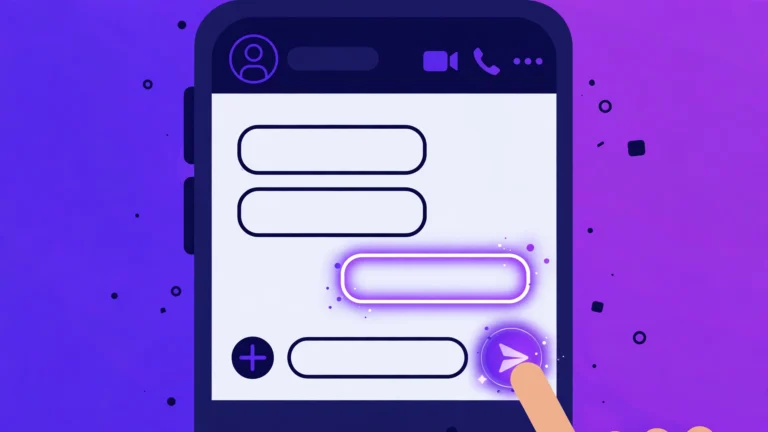
A blank message is a real message made of an invisible Unicode character, a character that takes up space in the text but shows nothing on screen. WhatsApp will not send a message made of ordinary spaces. It strips the spaces, finds nothing left, and keeps the send button greyed out. An invisible character is not a space in Unicode, so the check passes, the send button turns green, and the message goes through.
The recipient sees an empty bubble with a time stamp. The chat list shows the conversation as updated, but with no preview text. On most modern phones the bubble looks completely blank. On some very old phone models or outdated WhatsApp versions, the recipient may see a tiny dot or a small square instead.
Our own compatibility testing found the characters that work. The Braille Pattern Blank, U+2800, works on WhatsApp, Discord, Telegram, and SMS. The Hangul Filler, U+3164, also works on WhatsApp. The zero width space, U+200B, does not work on WhatsApp, because WhatsApp strips it before sending. The full results are here: Invisible Character Compatibility
Why someone sends a blank bubble
A blank bubble is almost always sent on purpose. The common reasons are simple:
- A prank. The empty bubble confuses the other person for a second.
- A minimal reply. It is the texting version of a nod, a way to say “I am here” without words.
- A connection test. The sender wants to check whether messages are going through.
- A formatting trick. A blank message can push older messages up or create a gap in the chat.
It is not a sign that your phone is broken, and it is not a sign that you are blocked. A blocked contact cannot send you anything at all, so you would see no bubble.
Blank bubble vs deleted message: do not confuse them
A deleted message looks different. When someone deletes a message, WhatsApp replaces it with a bubble that says “This message was deleted”. The words are visible. A blank bubble has no words at all, only a time stamp.
That difference matters. A blank bubble means the sender sent nothing visible on purpose. A “This message was deleted” bubble means the sender sent something, then removed it. If you are trying to work out what happened in a chat, check which of the two you are looking at.
What “Waiting for this message” means
The second kind of grey bubble carries text: “Waiting for this message. This may take a while.” This is not a blank message. It is a real message with real text that your phone has not loaded yet.
WhatsApp needs the receiving phone to be online to finish loading a new message. If your phone is switched off, has no signal, or runs an old version of WhatsApp, the message cannot load yet, and WhatsApp shows the waiting note in the meantime. The moment the phone gets a good connection again, the message loads and the real text appears. This usually takes only a few seconds.
What to do:
- Check your internet connection and reopen WhatsApp.
- Update WhatsApp to the latest version.
- Wait a minute. The message almost always loads by itself, and you rarely need to ask the sender to resend.
- If it still does not load after a long time, ask the sender to resend the message.
This waiting bubble does not mean your number is blocked. That is a different problem with different signs.
How to send a blank bubble yourself
Copy an invisible character from our free blank text generator, paste it into the WhatsApp message box, and tap send: Blank Text Generator
The send arrow turns green even though the box still looks empty. That green arrow is the signal that the character is there. Full step by step instructions, including the iPhone method, are in our guide: How to Send a Blank Message on WhatsApp
One honest warning: do not send blank messages too often. Sent once, a blank bubble is a joke. Sent ten times in a row, it feels like spam, and the other person may mute or block the chat.
FAQ
What does an empty grey bubble mean on WhatsApp?
It usually means someone sent you a blank message made of an invisible character. The message is real, but it has no visible text. It is not a glitch and not a sign of being blocked.
Why is there a grey bubble with “Waiting for this message”?
Your phone has not finished loading the message yet, usually because of a weak connection or an old WhatsApp version. Check your internet, update WhatsApp, and wait. The real text appears once the phone reconnects.
Is an empty bubble the same as a deleted message?
No. A deleted message shows the words “This message was deleted”. A blank bubble shows no words at all, only a time stamp.
Can I reply to a blank bubble?
Yes. Tap it like any other message and reply normally. The sender will see your reply under their empty bubble.
Related guides: Why WhatsApp Deletes Blank Text